

Speechify helped popularize listening to text on the go, but a growing number of users are looking for stronger alternatives. Many want tools that feel less restricted — with better free options, true offline support, and higher-quality voices that don’t require constant internet access.
After testing dozens of options, here are the most practical Speechify replacements available right now. I’ve focused on tools that actually solve common pain points, with clear details on what each one does well and where it falls short.
Top Speechify Alternatives in 2026
1. TTSFree.ai – Best Desktop Speechify Alternative for Unlimited Offline Use
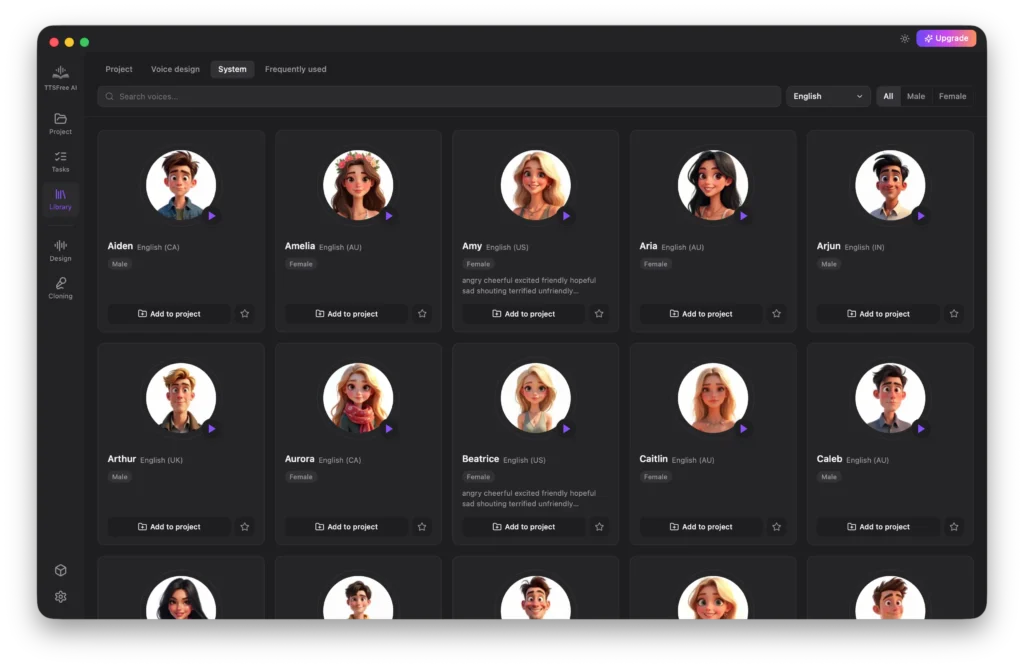
If you want a genuine desktop replacement, TTSFree.ai is one of the strongest Speechify alternatives right now. This downloadable text to speech software runs locally on Windows and Mac.
Key Features:
- 200+ natural AI voices across 9+ languages including English, Chinese, Japanese, Spanish, French, and more.
- Bulk document support (PDF, DOCX, EPUB, PPTX, TXT, MD) with drag-and-drop.
- Multi-speaker mode for dialogues and automatic voice assignment in scripts.
- Custom voice creation via text prompts and fine-tuning.
- Local AI models for expressive, high-quality speech — works completely offline.
- Export to MP3 or WAV with no queues or character limits.
Pros:
- Truly unlimited conversions after setup.
- Strong privacy (nothing uploaded to the cloud).
- Excellent for long-form content like audiobooks or video voiceovers.
- Feels more like professional software than a limited app.
Cons:
- Requires downloading models initially and performs best with decent hardware (GPU recommended for top quality).
- Desktop-focused, so less ideal for quick mobile listening compared to phone apps.
Best For: Power users, content creators, and anyone tired of cloud-based limits. It’s a fantastic Speechify alternative for offline reliability and bulk processing.
2. Balabolka – Best Free Lightweight Speechify Alternative
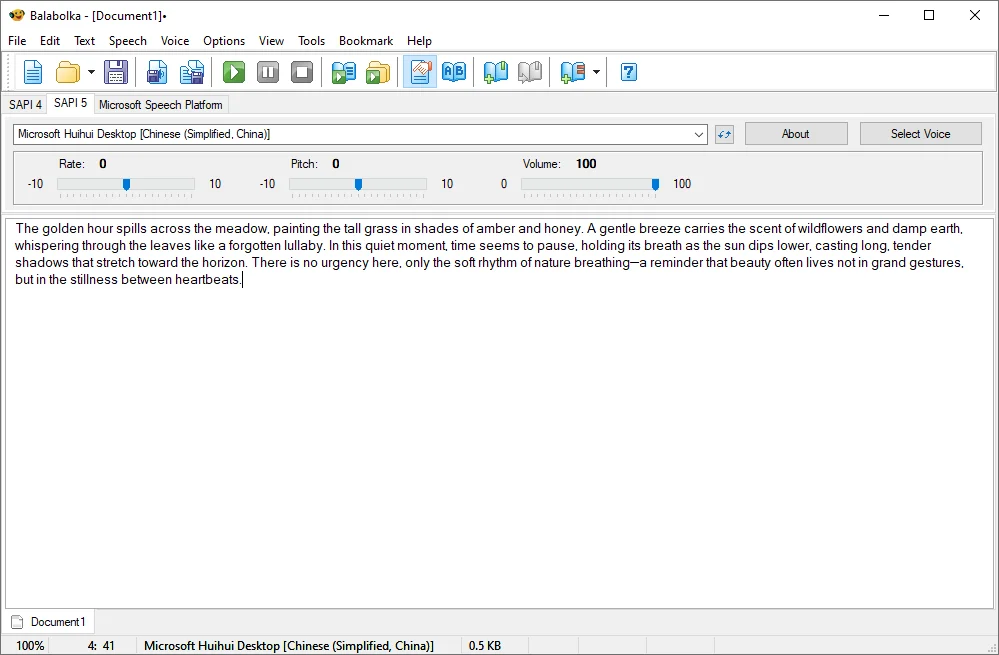
Balabolka is a simple yet powerful free desktop text to speech software that many people use as a no-cost Speechify replacement.
Key Features:
- Works with system voices and supports many document formats.
- Batch conversion, pronunciation customization, and speed controls.
- Portable version available.
Pros:
- Completely free with unlimited use.
- Lightweight and runs offline on Windows.
- Highly customizable for advanced users.
Cons:
- Voice quality depends on installed system voices (less “premium AI” feel).
- Windows primary, with limited native Mac support.
Best For: Students and casual users who want a straightforward, free alternative without subscriptions.
3. NaturalReader – Versatile Cross-Platform Alternative
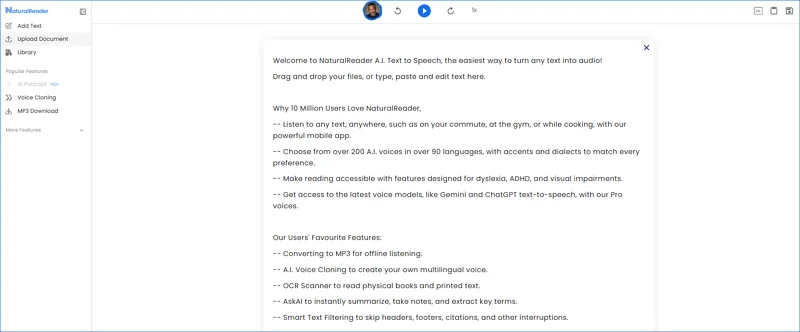
NaturalReader offers both desktop and online versions, making it a popular Speechify competitor for document reading.
Key Features:
- Wide range of natural voices and 100+ languages.
- PDF, Word, and web page support with OCR in premium tiers.
- Mobile apps and browser extensions.
Pros:
- User-friendly interface and good voice quality.
- Solid free tier for basic use.
Cons:
- Free version has daily limits; full features require payment.
- More cloud-reliant than pure offline tools.
Best For: Readers and learners who need multi-device access.
4. Murf.ai or ElevenLabs (Freemium Options)
For higher-end AI voices, tools like Murf.ai and ElevenLabs serve as strong Speechify alternatives with studio-quality output and emotional expression.
Key Features:
- Realistic, cloneable voices and team collaboration (Murf).
- Expressive AI models and API access (ElevenLabs).
Pros:
- Top-tier natural sound and customization.
- Generous free tiers for testing.
Cons:
- Free usage is limited; scales with paid plans.
- Primarily cloud-based.
Best For: Professional content creators needing premium voices.
| Tool | Offline Support | Pricing Model | Best Strength | Best For |
|---|---|---|---|---|
| TTSFree.ai | Excellent | Free (local) | Unlimited desktop use | Heavy offline work |
| Balabolka | Excellent | Completely Free | Lightweight customization | Windows users |
| NaturalReader | Partial | Freemium | Document & accessibility | Multi-device reading |
| ElevenLabs | Limited | Freemium | Realistic AI voices | Professional voiceovers |
Conclusion
There are excellent Speechify alternatives in 2026 that address many of the original app’s limitations. TTSFree.ai stands out as a powerful desktop option with unlimited local AI voices, while Balabolka and NaturalReader provide accessible free or freemium choices. Try a couple and see which fits your workflow best for listening to articles, books, or creating content.