

TTSFree AI
Available for Windows & macOS
TTSFree AI – BulkText to SpeechApp forPDFs, EPUBs, TXTs & More
Import any document. Shape every voice.
Visit TTSFree.AI official site for more details →
Smart TTS, Built for Real Use
TTSFree AI works the way you do—paste text or import files, then listen to natural, expressive speech that actually makes sense. No gimmicks. Just smart, offline TTS for Windows and Mac.
TXT
MD
DOC
EPUB
PPTX
XLSX
Subtitle
HTML
Others
Input Your Way
Paste a quick snippet or import entire documents directly. No manual copying and pasting needed.
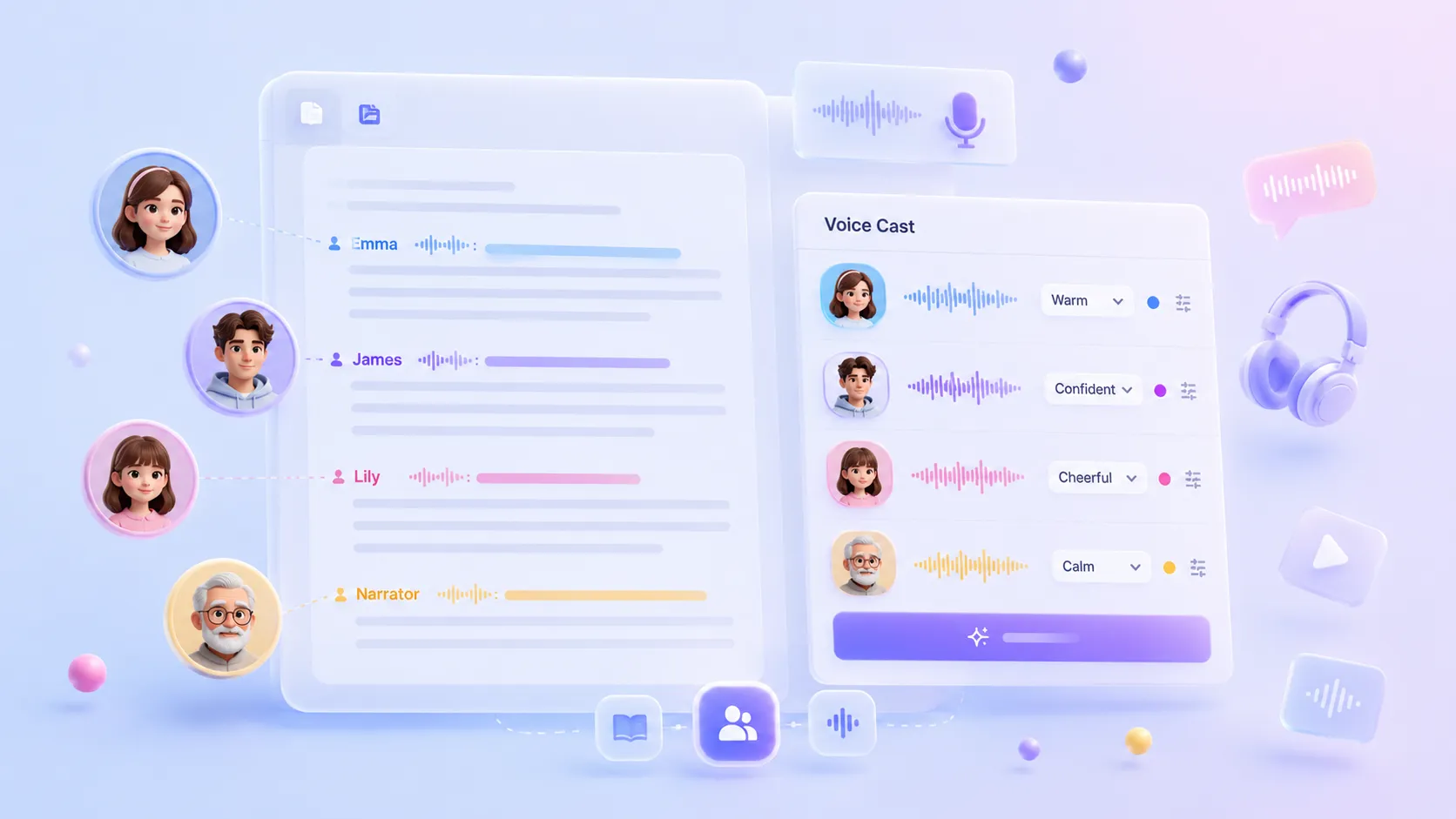
Script Mode for Multi-Voice Stories
Paste a script, dialogue, or subtitle file, and we’ll automatically detect characters so you can give each one a unique voice.

Excited

Happy

Confused

Angry

Serious

Bored

Sad

Embarrassed
Speaks with Feeling
The voice adapts its tone to match the emotion and intent of your text. It sounds natural, not robotic.
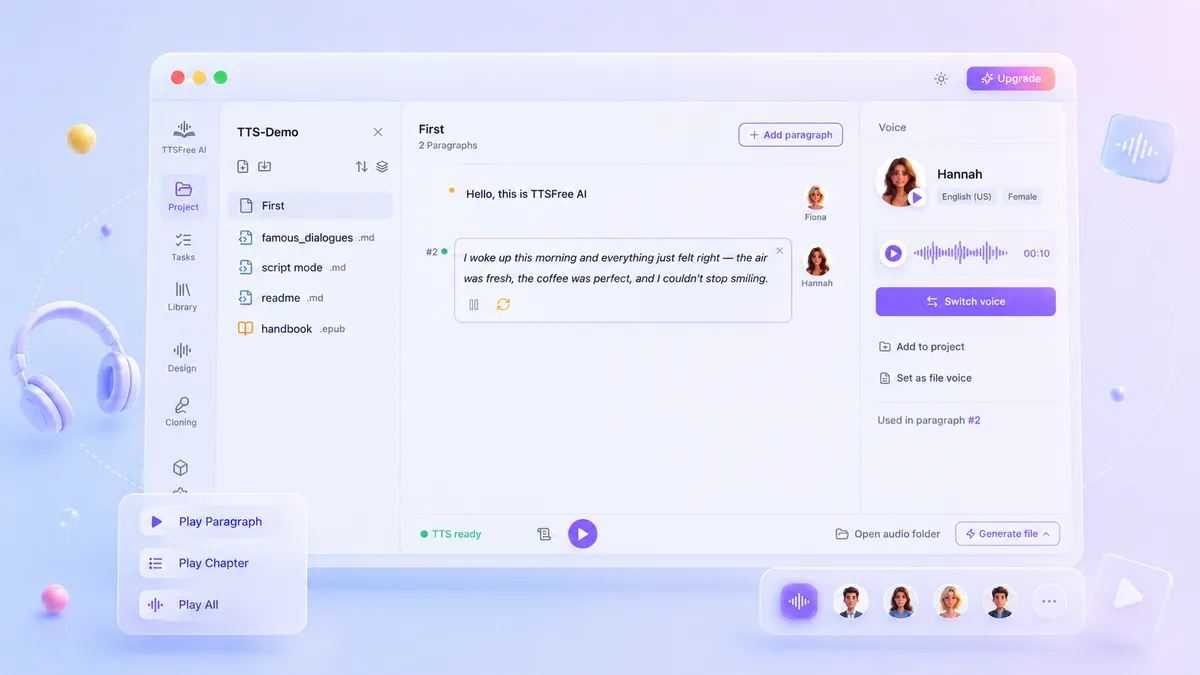
Smart Playback & Preview
Preview audio for any paragraph or the full document before generating. Play segments individually or listen to the whole thing seamlessly.
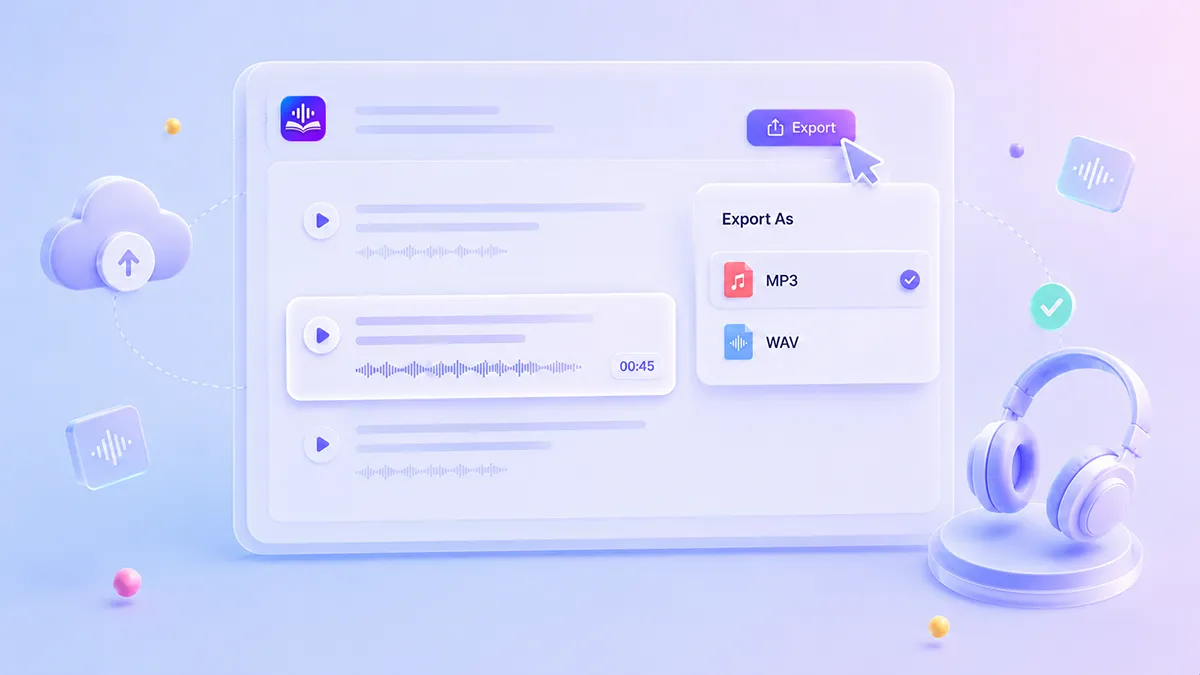
Export in Any Format
Save your audio exactly how you need it. TTSFree AI supports key audio formats, including MP3 and WAV, for flexible use across devices and platforms.
Create Audiobooks with Auto Chapter Markers
Beyond converting text to standard MP3 or WAV files, you can turn any text into a properly structured audiobook. Export as M4B or M4A, and TTSFree AI will automatically generate a chapter marker for every paragraph with no manual editing needed. Jump between sections instantly in Apple Books, VLC, or any compatible player.
Versatile AI Voice Options for Text to Audio
Choose the ideal AI voice for your text to speech conversions with TTSFree AI. Clone your own voice for authentic delivery, browse built-in natural voices for instant use, or generate custom voices via prompt for unique tones.
Precise Voice Clone
Read a short script to replicate your voice, then apply it to any text-to-speech project for consistent, authentic narration.
Simple Voice Design
Describe the age, tone, and mood you need in a text prompt to create a new AI voice from scratch, or refine any built-in voice to match your exact requirements.
200+ Premium AI Voices
Explore a diverse library of over 200 high-quality, natural-sounding voices across genders and age groups.
50+ Languages, Global Ready
Speak naturally in English, Chinese, Japanese, Korean, German, French, Portuguese, Spanish, Italian, and more, with more on the way.
Switch or Combine Different TTS Engines for Your Project
You can now enable multiple models at once and assign different voices from various engines within the same document. Whether you need the natural expressiveness of QWen3-TTS, the lightweight efficiency of Kokoro-82M, the reliability of native system voices, or a mix of all three, you have full flexibility to match each section of your content with the ideal voice without switching projects or compromising on quality.
QWen3-TTS
Kokoro
System TTS
QWen3-TTS 1.7B
High-Quality Pro
6.12 GB
Delivers very high speech quality with natural prosody and expressive intonation. Ideal for professional voiceovers, long-form content, or when audio fidelity is critical.
QWen3-TTS 0.6B
Balanced & Efficient
2.05 GB
Offers excellent speech quality with significantly lower hardware demands. Perfect for real-time applications, edge devices, or even users with no GPU.
QWen3-TTS Core Advantages
Deep semantic understanding
Intelligent emotion and prosody control
Seamless multilingual mixing
Lightweight & Capable
337 MB
Kokoro-82M
With only 82 million parameters, this open-source TTS engine runs smoothly on standard laptop CPUs without requiring a dedicated GPU. It achieves real-time synthesis at an RTF of approximately 1.0, generating one second of audio in about one second with no waiting. Memory usage is just 0.5 GB, dramatically lowering the hardware barrier for high-quality speech synthesis and making it fully accessible on everyday laptops.
Light footprint, real-time pace
82M
parameters
~1.0
real-time factor
0.5 GB
memory use
CPU
ready
Kokoro Core Advantages
High-quality speech output
Optional G2P dictionaries for accurate pronunciation
No dedicated GPU required
Fast & Built-in
0 MB
Native TTS Engine inWindows and macOS
Leverage the built-in text-to-speech engine without AI models. Runs entirely offline with minimal resources, supporting all locally installed voices across 40+ languages. Instant synthesis, zero setup required.
Instant synthesis
Entirely offline
40+ languages
Kokoro Core Advantages
Zero AI model dependency
Instant offline synthesis
Minimal system resource requirement
Why Choose Our Text to Speech Software
Because a great AI TTS tool should be private, powerful, and effortless — not locked behind servers, queues, or hidden limits.
Privacy First, Zero Uploads
Your text and voice data never leave your device. All speech generation happens locally. No cloud uploads. No third-party access. Your content stays yours.
Instant, Unlimited Speech Generation
No waiting in line. No token caps. No file length restrictions. Whether you need a 10-second clip or a 2-hour audiobook, our Text to Speech engine delivers real-time output.
Truly Flexible & Professional
Wide format support. Effortless batch processing. A rich voice library. You name it — we‘ve got it.
Built to Run Everywhere
From CPU laptops to high-end NVIDIA GPUs, and from Intel Macs to Apple Silicon, our AI-powered Text to Speech adapts to your hardware. Choose the model that fits your needs: lightweight for speed, or large for studio-grade quality.
Boost Your AI Audio Creations by Upgrading Your Plan
Take your creations to the next level with more power and flexibility.
Price
Access duration
All voices & languages
Full file import
Bulk conversion
Unlimited conversions
Voice design
Real-time processing
Advanced voice controls
Free updates
Commercial use
7-Day Free Trial
Experience the full power.
Free
No credit card needed
7 days

Paid Version
Unlock forever or subscribe.
$4.95 / mo, $45 / yr, or $49 lifetime
According to the plan
Technical Specifications
TTSFree AI supports a wide range of hardware and operating systems, so you can generate high-quality speech on your existing machine.
Hardware Compatibility
Processors (CPU)
Intel, AMD, and Apple Silicon processors
Graphics (GPU)
NVIDIA, AMD, and Intel discrete GPUs
Operating Systems
Windows
Windows 10 and later
macOS
Intel and Apple Silicon
How to Convert Text to Speech in Seconds
No uploads. No waiting. No internet required.
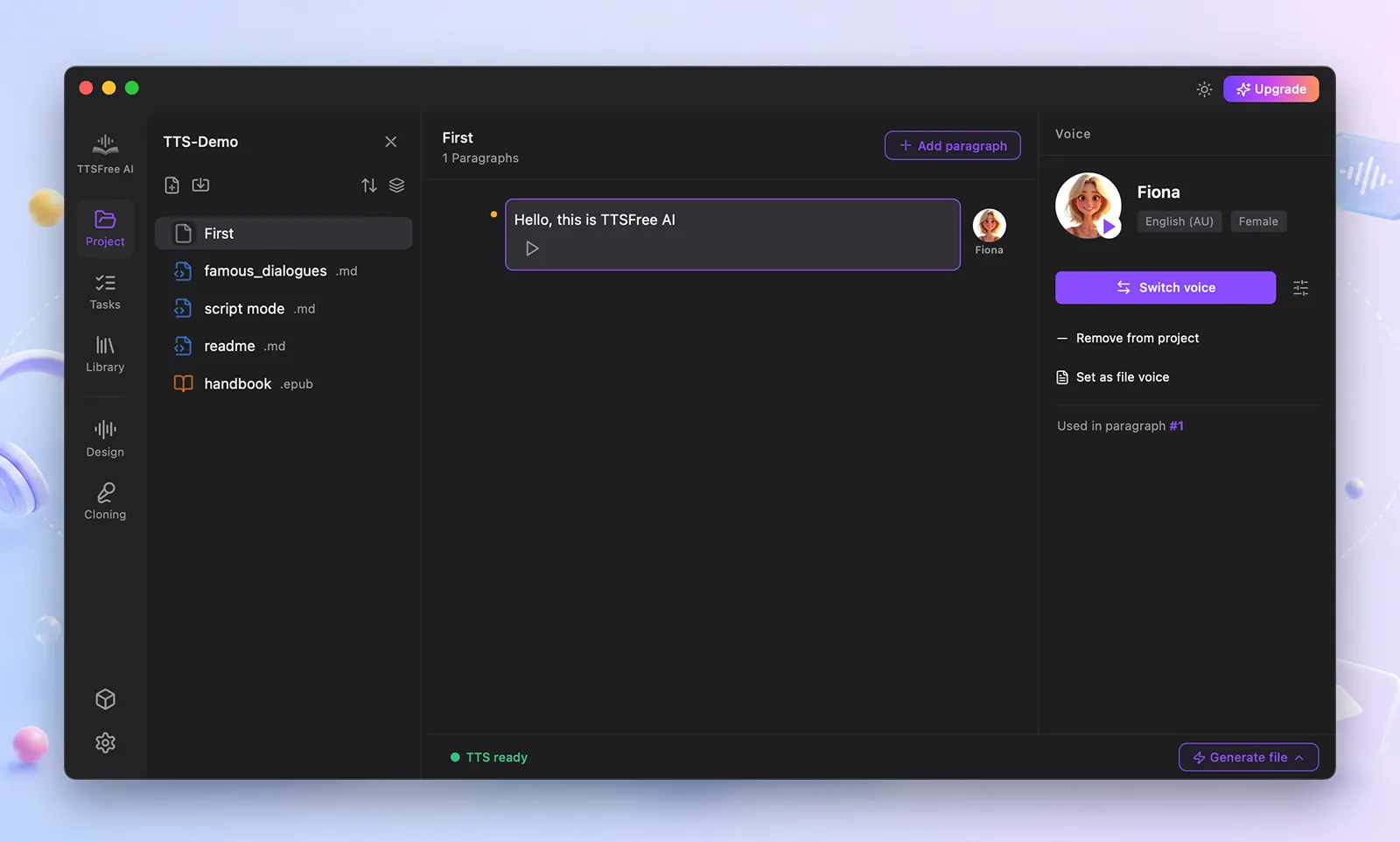
Paste your text or import a file
Works with .txt, .docx, PDFs, or copy-pasted content.
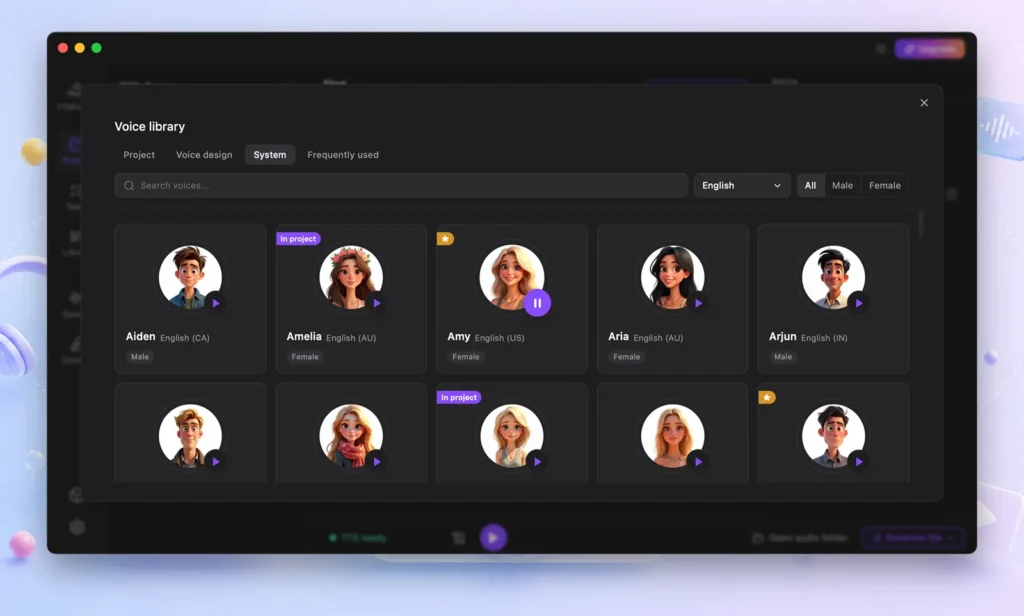
Select voices for each section
Use one voice for the whole document or assign different voices to different speakers.
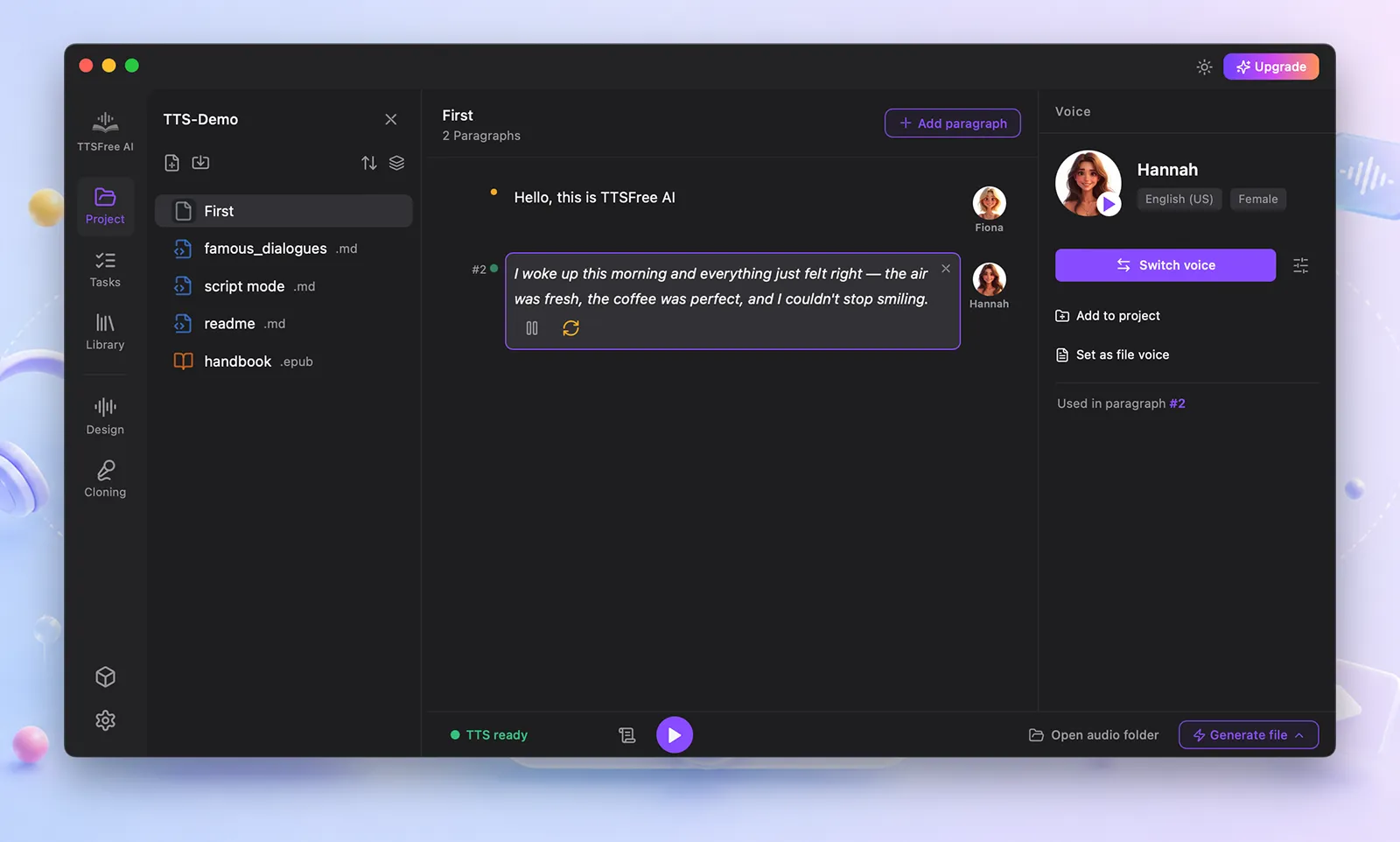
Preview instantly
Hear how it sounds before exporting. All processed locally in real time.
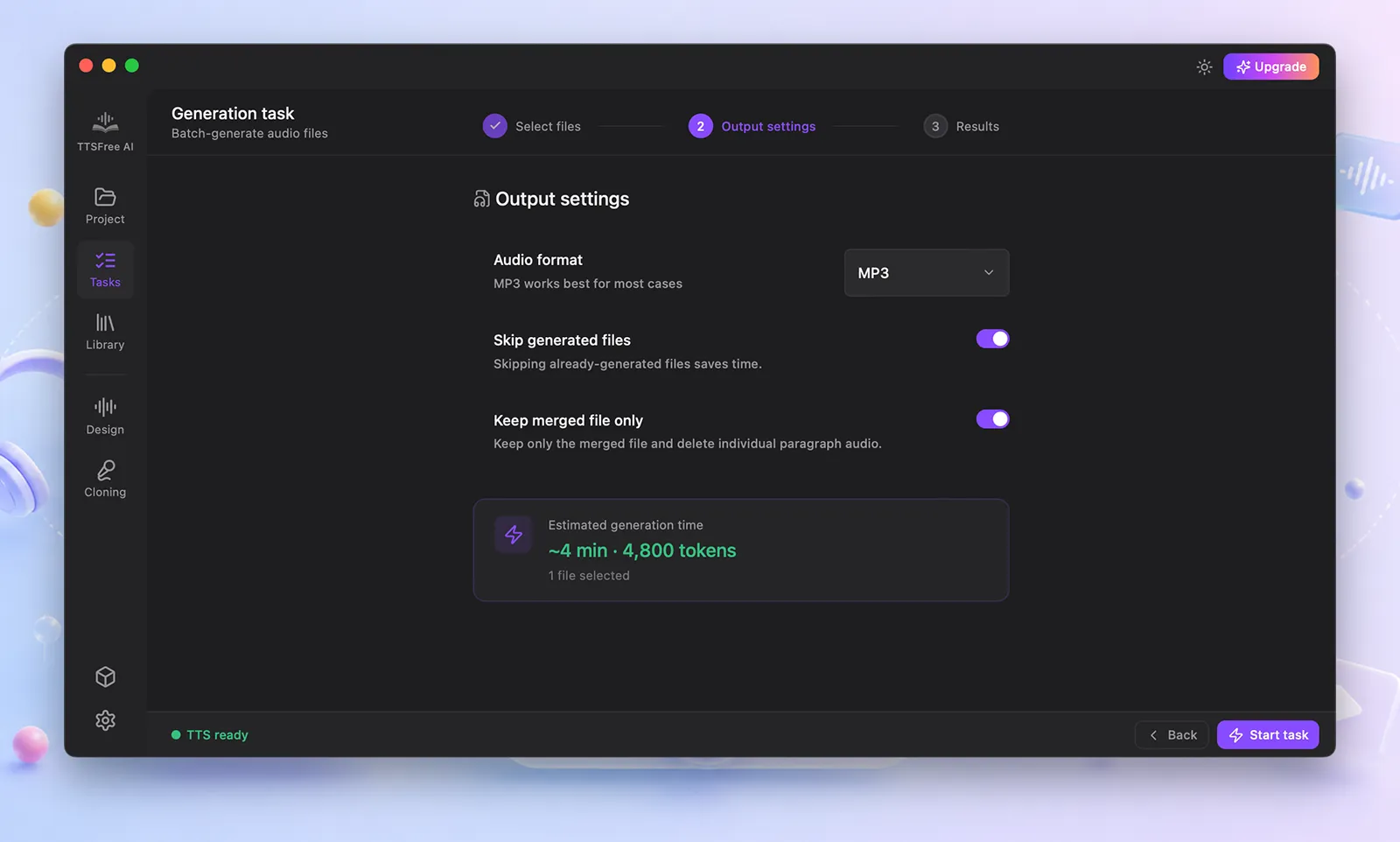
Play or export
Listen right away or save as high-quality audio files.
Frequently Asked Questions
Quick answers to help you get started, troubleshoot, or make the most of the TTS software.
Do I need an internet connection to use the TTS app?
No, the software runs entirely offline for text-to-speech conversion. An internet connection is only needed when you download new AI/voice models or when the app checks your license status. Aside from those cases, everything works locally with no internet required.
Is my data or text sent to the cloud?
Absolutely not. Your text stays on your device and is never uploaded, stored, or shared. Privacy is built in by design.
What file formats can I import or export?
You can paste plain text, import .txt, .docx, PDF files, and more, and export audio as MP3 or WAV.
Can I use the generated voiceovers in videos, apps, or client projects?
Yes. All audio you create can be used commercially, even in YouTube videos, podcasts, mobile apps, or paid client work.
Is the 7-day free trial really free?
Yes. As long as it’s your first time installing TTSFree AI on your computer, you get full access for 7 days with no registration, login, or credit card required.
Are there any limits, like on character count or usage time?
No. During your trial or after purchase, whether monthly, yearly, or lifetime, you get unlimited use with no restrictions on characters, conversions, or features.