

If you’ve ever needed to turn text into speech, you know how useful a solid text to speech tool can be. Whether you’re making videos, listening to articles while walking, practicing pronunciation, or improving accessibility, the right free TTS makes life easier.
There are indeed completely free text to speech software options out there, but most of them use voices that sound robotic and unnatural. The flat tone and weird pacing make them hard to listen to for more than a few minutes.
That’s why TTSFree AI from PopPop AI is worth checking out. If you want free text to speech software with natural voices, this one stands out.
Why Natural Voices Make a Big Difference
Natural-sounding speech keeps listeners engaged. It feels warmer, more professional, and easier on the ears — perfect for turning blog posts into audio, creating voiceovers, helping with language learning, or supporting accessibility needs.
Many free TTS tools fall short here, but TTSFree AI focuses on realistic voices with proper rhythm and emotion. It doesn’t have that classic mechanical feel that turns people off.
What Makes TTSFree AI a Strong Choice
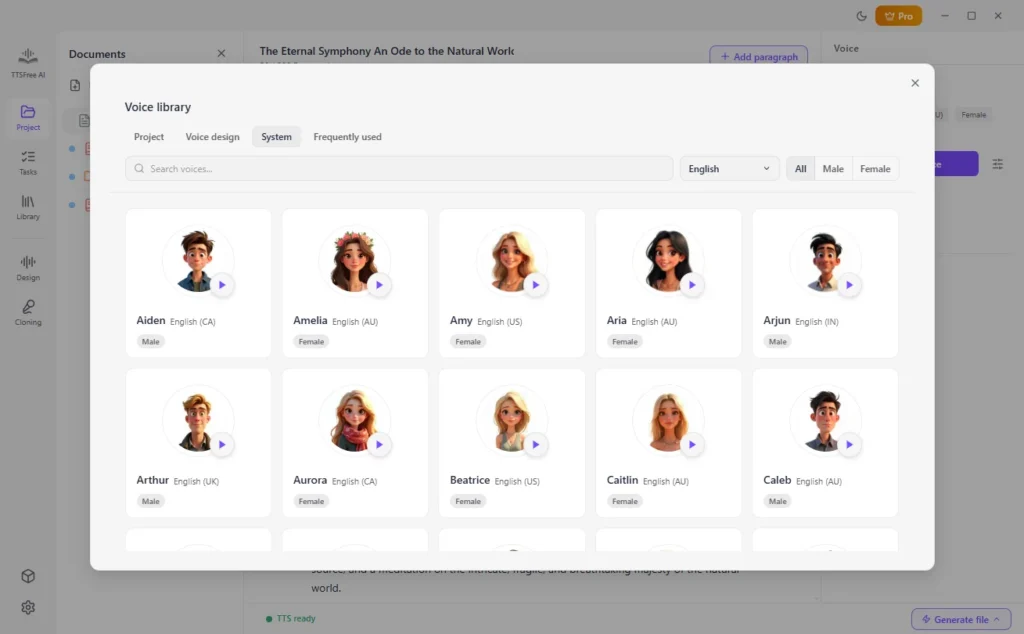
TTSFree AI really shines with its impressive selection of over 200 natural AI voices that you can use freely without needing to upgrade. You get plenty of options right away across multiple languages, so whether you need English, Chinese, Japanese, Korean, Spanish, French, German, Italian, Portuguese, or others, there’s something that fits.
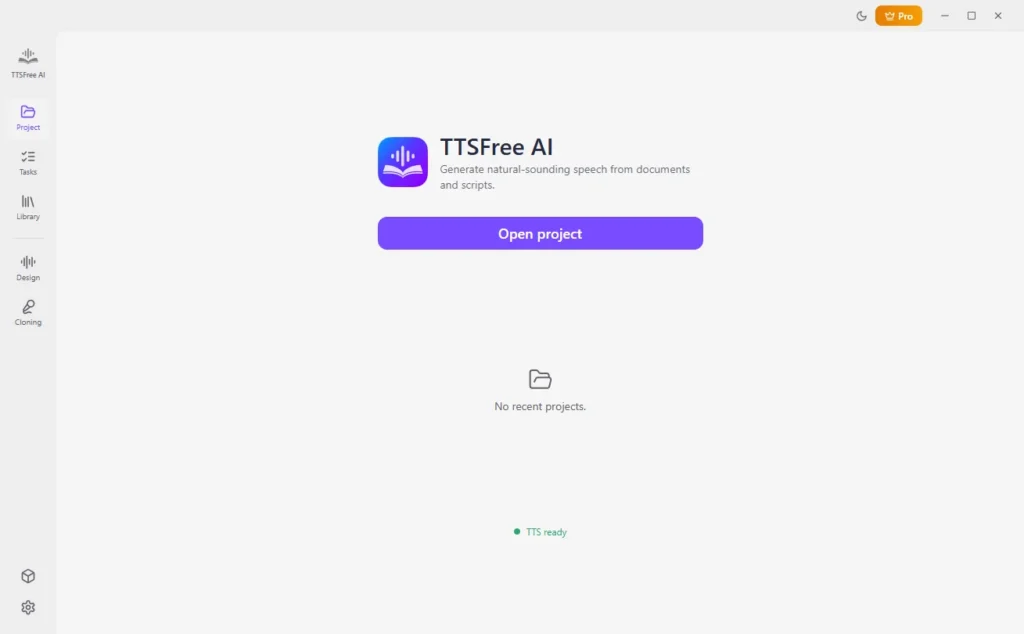
Beyond the huge voice library, it makes everyday tasks simple:
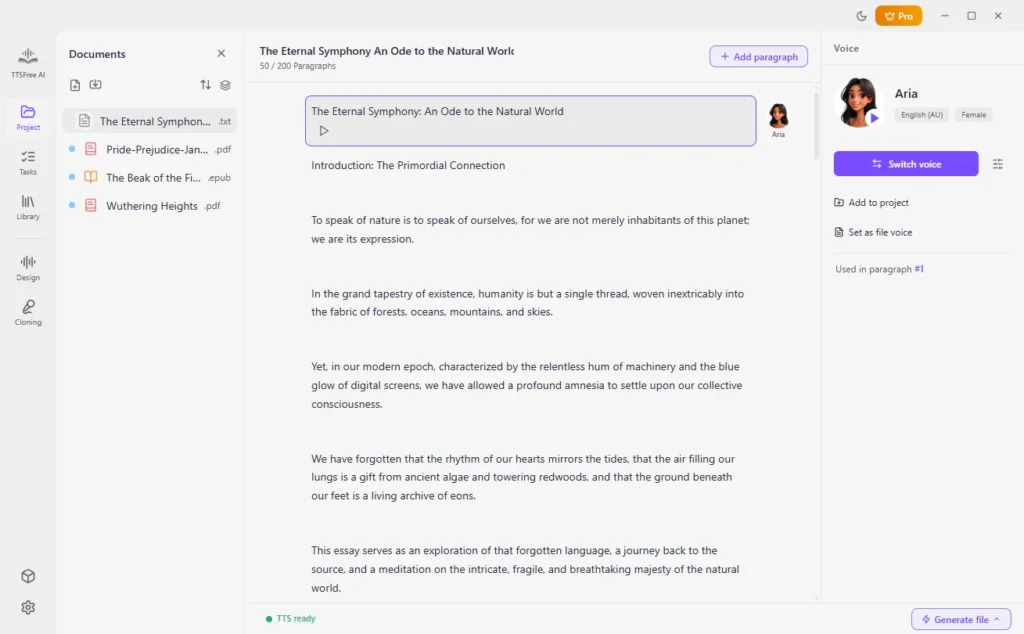
- Paste text or import full documents (PDF, DOCX, TXT, EPUB, PPTX, and more) in seconds.
- Fine-tune voices or even create custom ones with text prompts for exactly the tone you want.
- Assign different voices to multiple characters in scripts, stories, or dialogues — great for bringing narratives to life.
- Smart features like auto speaker detection that save you tons of editing time.
- Export high-quality audio in MP3 or WAV format.
It’s built for real-world use, whether you’re creating audiobooks, video voiceovers, presentations, or just listening to long articles.
How It Compares to Other Free TTS Tools
While there are other free text to speech software options, many still rely on limited or robotic-sounding voices and come with annoying restrictions like daily character caps or very few voice choices. Some feel outdated quickly, and the quality drops off when you try to use them for anything longer than a short paragraph.
TTSFree AI does a much better job by offering a large selection of natural voices (200+), strong document support, and more intelligent features like multi-voice scripts. It feels more modern and capable while still giving you solid free access — making it one of the stronger recommendations when people search for the best free TTS with natural voices.
How to Convert Text to Speech for Free
Getting started with TTSFree AI is straightforward. Download the app for Windows or Mac, install it, and you’re ready to go.
Step 1: Paste your text directly or import a document.
Step 2: Choose from the 200+ natural AI voices.
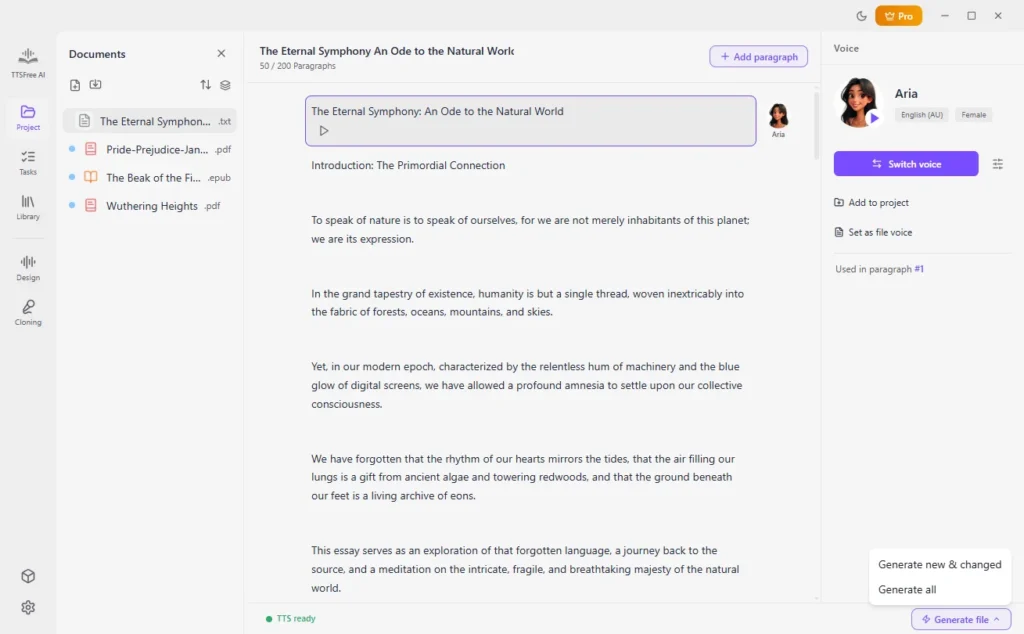
Step 3: Click the “Generate and play” icon under a certain paragraph or click “Generate file” > “Generate all” to convert the entire file to audio.
No complicated setup — just clean, natural-sounding results from your text to speech conversions.
Wrapping Up
If you’re after a free text to speech software with natural voices, TTSFree AI by PopPop AI is a great pick. With its large voice library, smart features, and focus on realistic audio, it delivers where many other free TTS tools fall short.
Give it a try next time you need to convert text to speech. You’ll likely hear the quality difference immediately and wonder why you didn’t switch sooner.
Head over to check out TTSFree AI and see how good free text to speech can sound. It might just become your favorite new tool.